













Blitz FAQ
Дата: 30.07.2013 02:53:35
Yoott: Q. How do I Create a Team (and Make Myself the Captain)?
Follow the steps above to register and join a team. When you create your own team, the creator is automatically made the captain.
Select "Create Team"
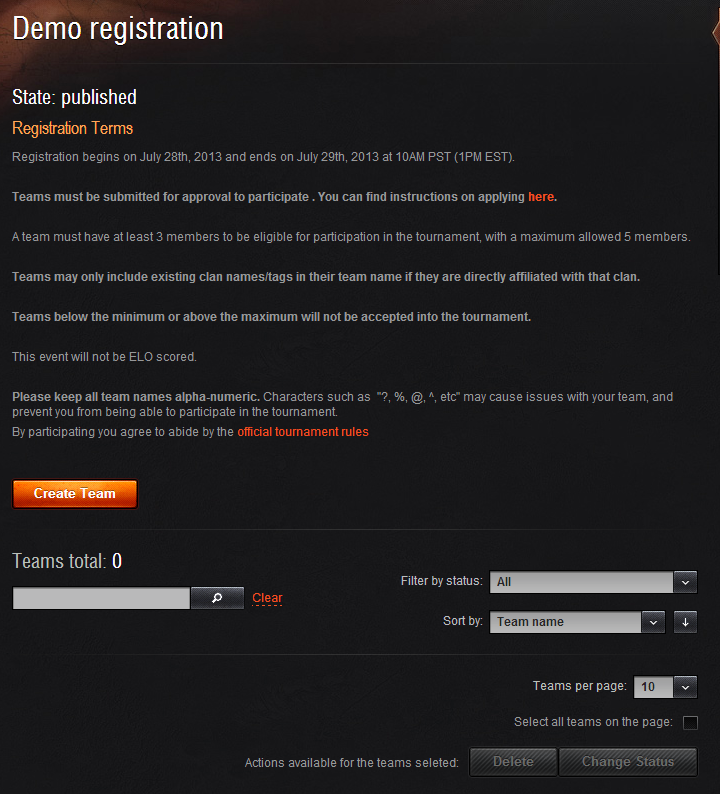 You
will then be taken to the create team screen, where as the captain
you will need to fill in some information
You
will then be taken to the create team screen, where as the captain
you will need to fill in some information
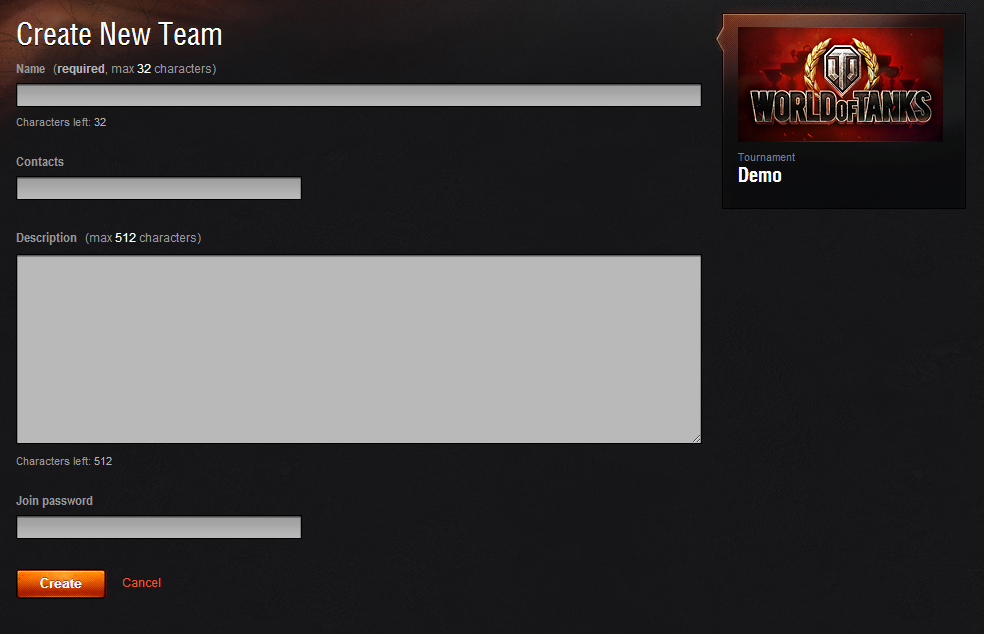 Fill
out the form as shown with a team name, a contact for WG to contact
you as well as other players, a small description of your team and
its goals. You may also set a password if you want to restrict who
is able to join your team. (P.S. make it something people won't
ever guess, like mine)
Fill
out the form as shown with a team name, a contact for WG to contact
you as well as other players, a small description of your team and
its goals. You may also set a password if you want to restrict who
is able to join your team. (P.S. make it something people won't
ever guess, like mine)
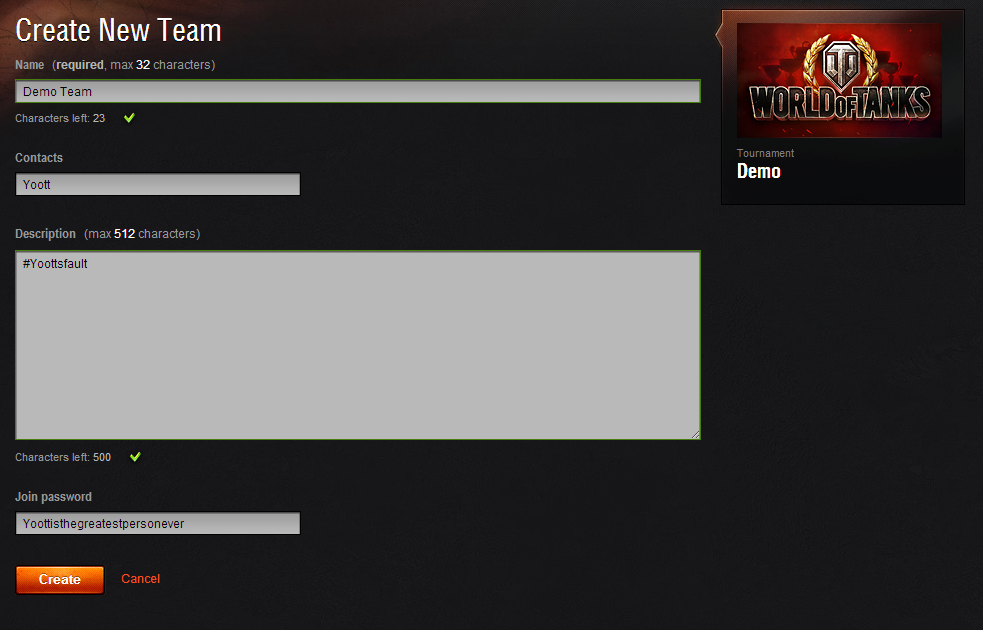 Once
you have filled out all needed information and created the team you
will see this screen, which is the captain's team management screen
Once
you have filled out all needed information and created the team you
will see this screen, which is the captain's team management screen
 Players are now eligible to join your team. If you have set a
password, you will need to give that to any member you wish to
join. If you did not then, your team is open for anyone to join
with no required prior contact with you. This will continue until
you reach the number of players you wish to have or are allowed
based on the rules of each tournament.
Players are now eligible to join your team. If you have set a
password, you will need to give that to any member you wish to
join. If you did not then, your team is open for anyone to join
with no required prior contact with you. This will continue until
you reach the number of players you wish to have or are allowed
based on the rules of each tournament.
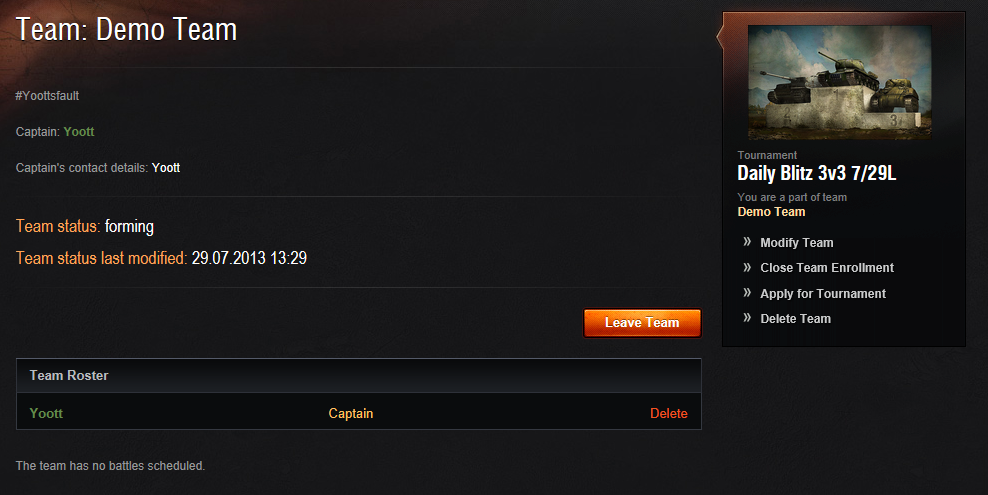
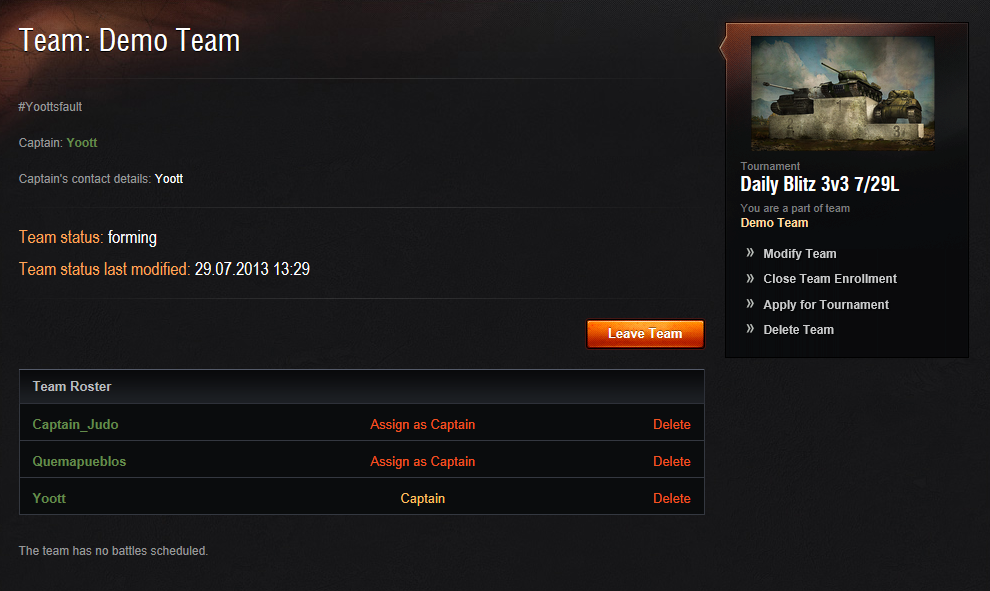 Notice
that the picture above shows the team in a forming status... as the
captain, you MUST submit the team by clicking the "Apply for
Tournament" link on the right side of the team management screen.
If you do not do this your team will automatically be rejected.
Also note that once a team is submitted there are no changes
allowed to the team.
Notice
that the picture above shows the team in a forming status... as the
captain, you MUST submit the team by clicking the "Apply for
Tournament" link on the right side of the team management screen.
If you do not do this your team will automatically be rejected.
Also note that once a team is submitted there are no changes
allowed to the team.
TEAM CAPTAINS, DON'T FORGET TO SUBMIT TEAM FOR APPROVAL. NO EXCEPTIONS......IF YOU DON'T, THE TEAM WILL BE DENIED AND YOU WILL NOT BE ABLE TO COMPETE.
Follow the steps above to register and join a team. When you create your own team, the creator is automatically made the captain.
Select "Create Team"
You
will then be taken to the create team screen, where as the captain
you will need to fill in some information Fill
out the form as shown with a team name, a contact for WG to contact
you as well as other players, a small description of your team and
its goals. You may also set a password if you want to restrict who
is able to join your team. (P.S. make it something people won't
ever guess, like mine) Once
you have filled out all needed information and created the team you
will see this screen, which is the captain's team management screen
Players are now eligible to join your team. If you have set a
password, you will need to give that to any member you wish to
join. If you did not then, your team is open for anyone to join
with no required prior contact with you. This will continue until
you reach the number of players you wish to have or are allowed
based on the rules of each tournament. Notice
that the picture above shows the team in a forming status... as the
captain, you MUST submit the team by clicking the "Apply for
Tournament" link on the right side of the team management screen.
If you do not do this your team will automatically be rejected.
Also note that once a team is submitted there are no changes
allowed to the team.TEAM CAPTAINS, DON'T FORGET TO SUBMIT TEAM FOR APPROVAL. NO EXCEPTIONS......IF YOU DON'T, THE TEAM WILL BE DENIED AND YOU WILL NOT BE ABLE TO COMPETE.
Blitz FAQ