













Reporting Bugs and Providing Feedback
Дата: 02.09.2016 02:38:10
Sea_Star: Information to Include So you found a bug or want to give your
opinion on a feature? We want to hear it! Be sure to include this
valuable information (if applicable) so that we know exactly what
you mean:
Description
Please write a clear and substantial description containing all necessary details.
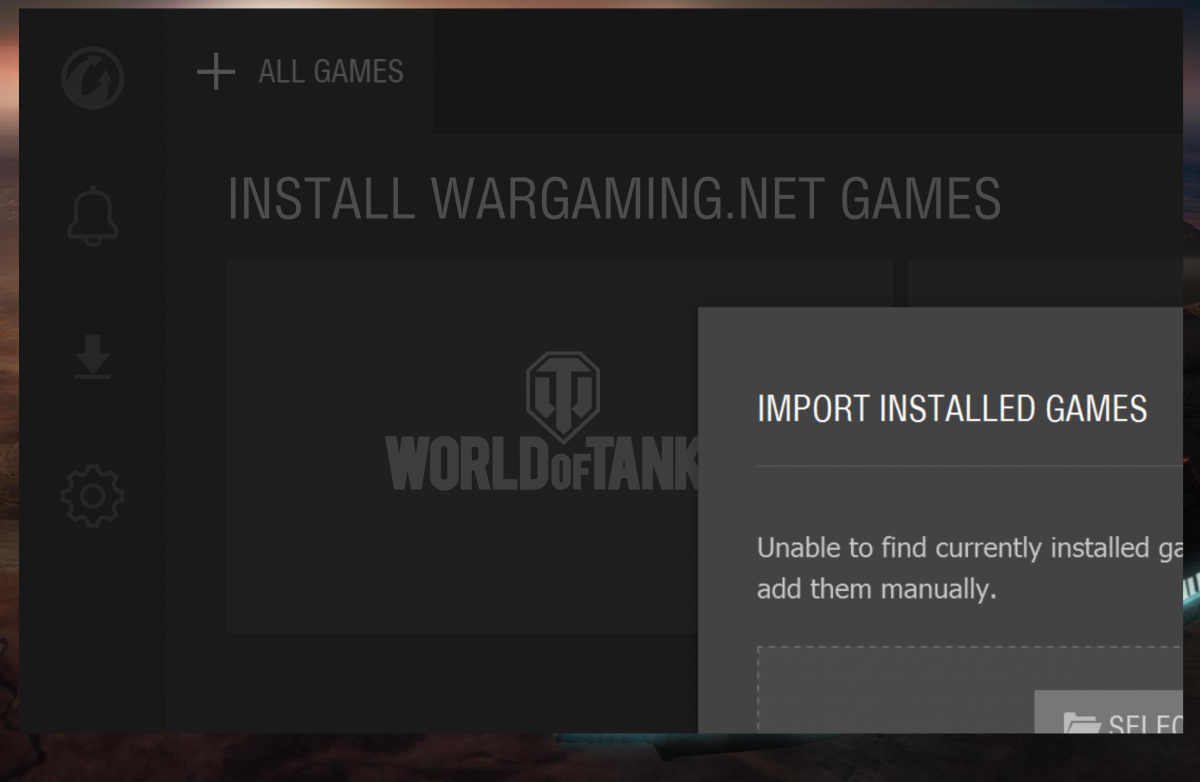
Example: "I could only see a quarter of the Import Installed Games prompt."
Steps to Reproduce
Include the sequence of events that triggered the issue.
Example: "This happened the first time I opened WGC after installing it."
Technical Details
This is where you'll want to mention any important technical information - your OS, screen resolution, etc.
Example: "I'm running Windows 10 with the anniversary update. My resolution is 3200x1800 with 125% scaling."
Screenshot
Please include a screenshot if possible! To do so, press the PRTSCR button, open Paint (or a similar program), press paste, crop the picture to the important part, and attach it to your post.
Example:
 Many thanks, and happy testing!
Description
Please write a clear and substantial description containing all necessary details.
Example: "I could only see a quarter of the Import Installed Games prompt."
Steps to Reproduce
Include the sequence of events that triggered the issue.
Example: "This happened the first time I opened WGC after installing it."
Technical Details
This is where you'll want to mention any important technical information - your OS, screen resolution, etc.
Example: "I'm running Windows 10 with the anniversary update. My resolution is 3200x1800 with 125% scaling."
Screenshot
Please include a screenshot if possible! To do so, press the PRTSCR button, open Paint (or a similar program), press paste, crop the picture to the important part, and attach it to your post.
Example:
 Many thanks, and happy testing!
Reporting Bugs and Providing Feedback